We design and build mobile apps, web platforms and desktop software.

One team takes you from the idea to launch, and stays with you after it. We work with startups and businesses in Egypt and abroad.

See the work: BourraqHASKA

  • Mobile apps
  • Web platforms
  • Desktop software
  • Business management systems
  • Online stores
  • Dashboards
  • Point-of-sale systems
  • AI assistants

What we offer

We start from your problem, then choose the software

It might be an app, a web platform, an internal system to run the business, or a mix of them. We settle it with you before we build.

  • A working version early

    We ship in short stages, so you see your product running early and make decisions on something real.

  • Designed for the awkward cases

    We design for a dropped connection, an old device, an error or an empty screen, not only the happy path.

  • Looked after once it’s live

    After launch we watch errors and performance, and ship updates in short rounds.

  • One team, every platform

    The same team builds the phone app, the website and the desktop software, so there’s one team to talk to.

Our work

Products we built, in use today

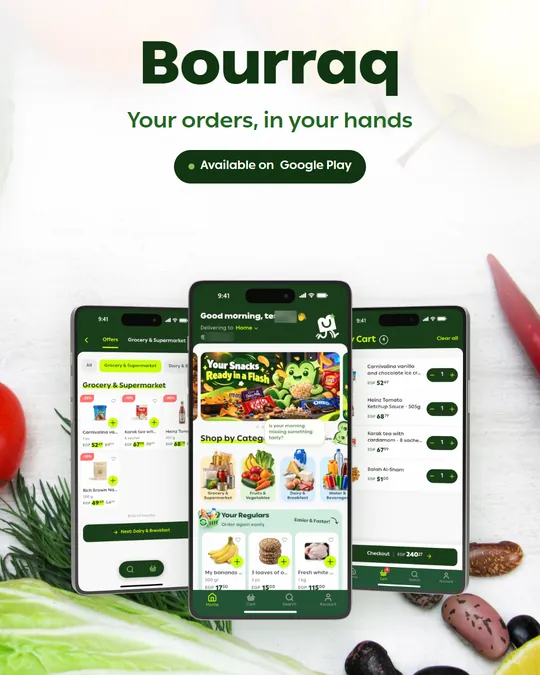
  1. Bourraq: Your orders, in your hands. Groceries, fruit and vegetables, dairy and baked goods, from the shops in your area to your door.

    Mobile app

    Mobile app2026

    Bourraq: customer app

    1. Bourraq: Your orders, in your hands. Groceries, fruit and vegetables, dairy and baked goods, from the shops in your area to your door.
    2. Everything you need, in one order: From several shops, in one cart. Supermarket, groceries, bakery, meat, fruit and vegetables: pick from the shops in your area, and it all arrives in one order.
    3. Your regulars: Order them again with ease. What you always order sits at the top of the screen, and one tap adds it to your cart.
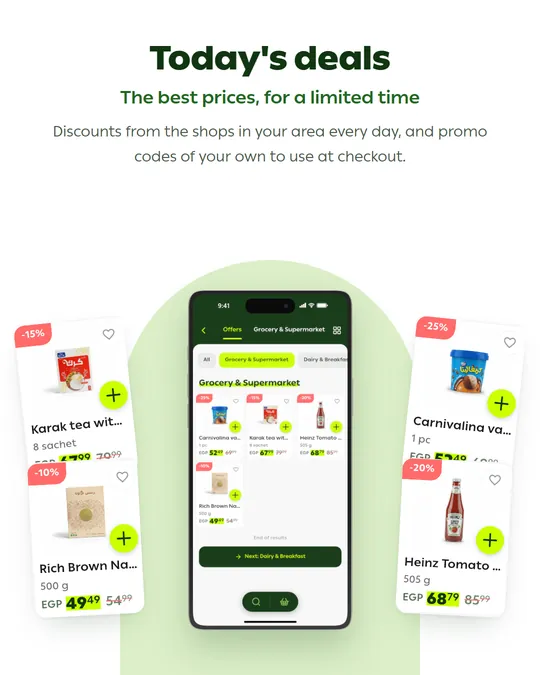
    4. Today's deals: The best prices, for a limited time. Discounts from the shops in your area every day, and promo codes of your own to use at checkout.
    5. Bourraq Ai: Order in your own words. Tell it what you want the way you'd tell a friend, and it suggests the right products from the shops.
    6. Search, or browse: Every product in its place. Type what you're looking for, or move through the categories. Price and weight are clear on every product.
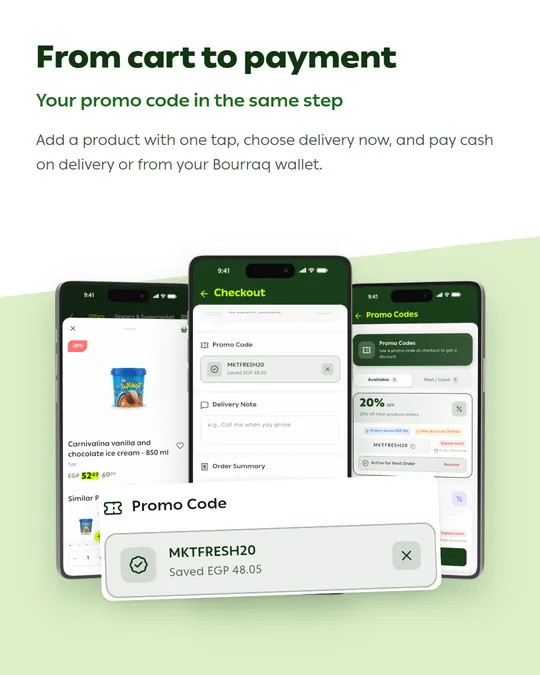
    7. From cart to payment: Your promo code in the same step. Add a product with one tap, choose delivery now, and pay cash on delivery or from your Bourraq wallet.
    8. Track your order live: And relax. From packing your shopping to your door. You receive it with a security code you give the captain on arrival.
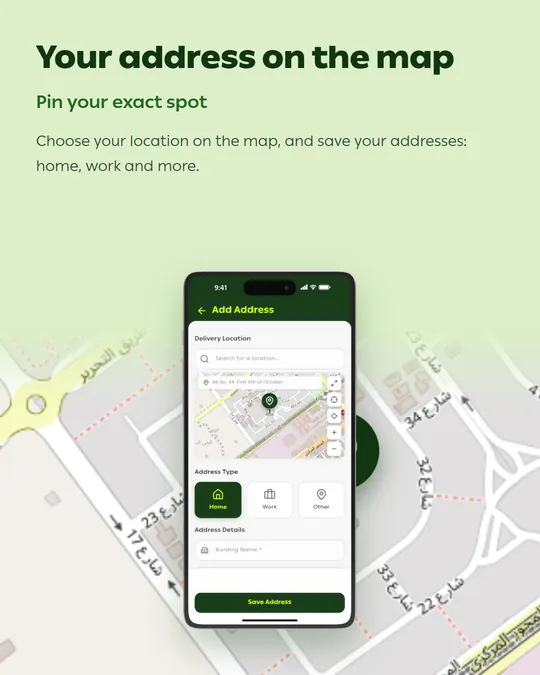
    9. Your address on the map: Pin your exact spot. Choose your location on the map, and save your addresses: home, work and more.
    10. Everything in your account: Your wallet, orders and saved products. Follow your orders and their details, save what you like for later, and pay from your Bourraq wallet.
    11. Start now: In Arabic or in English. Sign up with your Google account or your email, and place your first order.
    12. Your orders, in your hands. Download Bourraq now, Available on Google Play
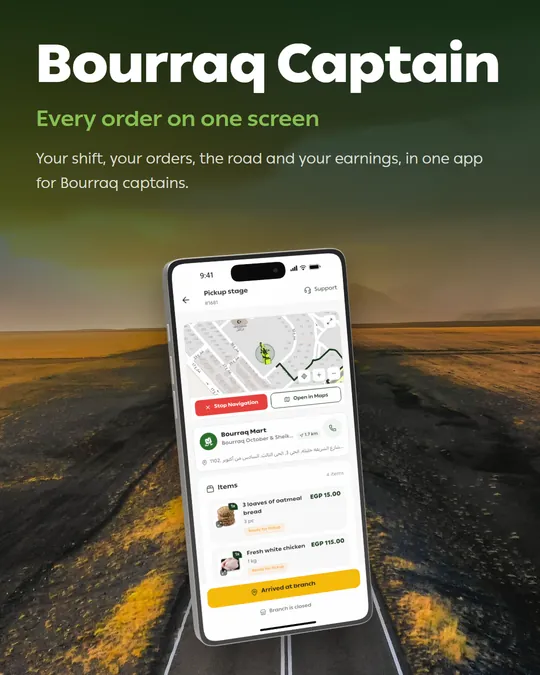
  2. Bourraq Captain: Every order on one screen. Your shift, your orders, the road and your earnings, in one app for Bourraq captains.

    Mobile app

    Mobile app2026

    Bourraq Captain: courier app

    1. Bourraq Captain: Every order on one screen. Your shift, your orders, the road and your earnings, in one app for Bourraq captains.
    2. Start your shift: And count your hours. Start the shift to receive orders, take a break for as long as you choose, and a loud alert tells you the moment it ends.
    3. Collect from the branch: The road ahead, on the map. The branch's address and distance, the items ready to collect, and turn-by-turn directions.
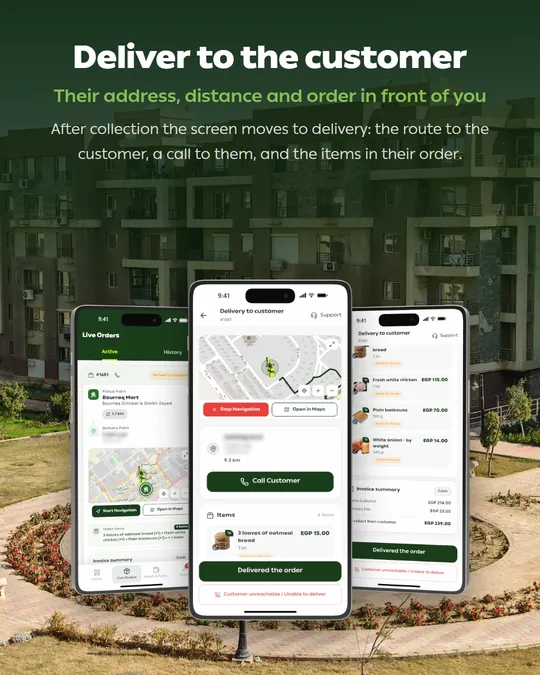
    4. Deliver to the customer: Their address, distance and order in front of you. After collection the screen moves to delivery: the route to the customer, a call to them, and the items in their order.
    5. Hand over with a code: Four digits from the customer confirm it. Ask the customer for the code, collect the amount shown, and put the change in their wallet for the next order.
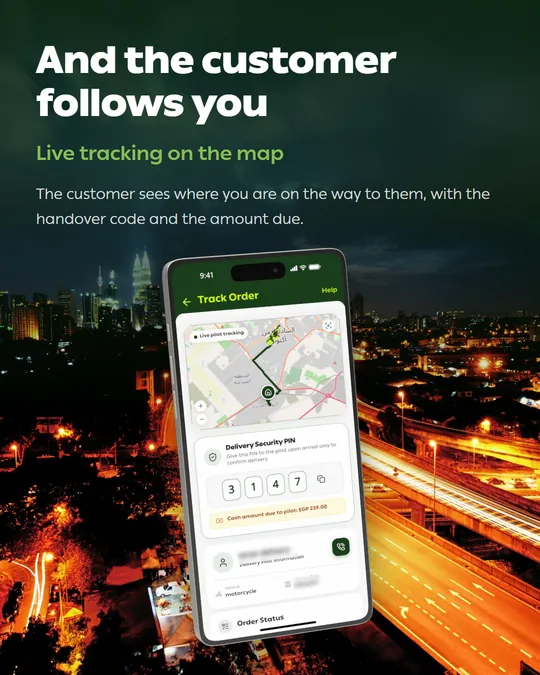
    6. And the customer follows you: Live tracking on the map. The customer sees where you are on the way to them, with the handover code and the amount due.
    7. Your money in front of you: Cash, earnings and compensation. The cash you hold to hand in and your debt limit, your compensation and bonus balance, delivery earnings, and a record of every transaction.
    8. Your rating goes ahead of you: Every customer's word reaches you. Customer ratings after every delivery, and your average on your verified profile.
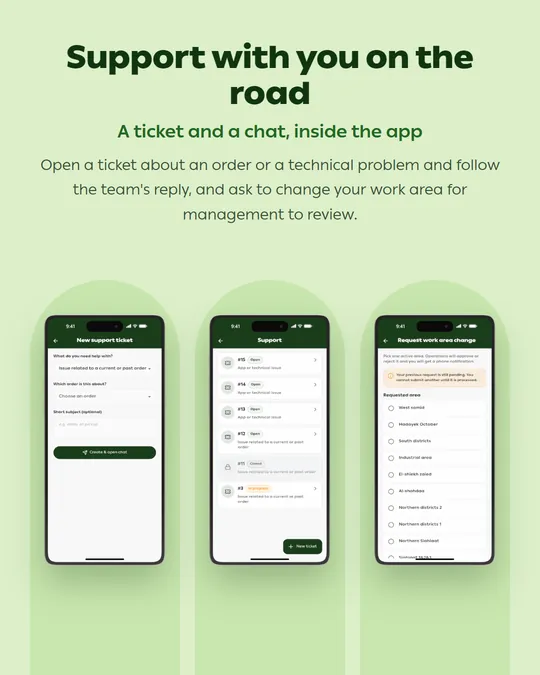
    9. Support with you on the road: A ticket and a chat, inside the app. Open a ticket about an order or a technical problem and follow the team's reply, and ask to change your work area for management to review.
    10. Join Bourraq's captains: Sign up and start. Create your account, choose your work area and vehicle type, upload your official papers, then set up your phone so the app runs in the background.
    11. Every order on one screen. Bourraq Captain
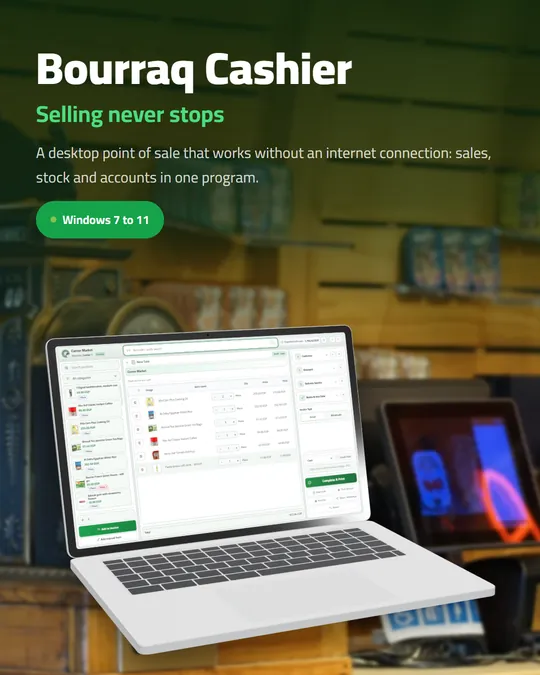
  3. Bourraq Cashier: Selling never stops. A desktop point of sale that works without an internet connection: sales, stock and accounts in one program.

    Desktop software

    Desktop software2026

    Bourraq Cashier: desktop point of sale

    1. Bourraq Cashier: Selling never stops. A desktop point of sale that works without an internet connection: sales, stock and accounts in one program.
    2. Scan and sell: The barcode adds the item at once. Scan the barcode or search by name, change the quantity with one click, and see the item's picture and its stock in front of you.
    3. Retail or wholesale: Two prices for every item. Choose the invoice type and the prices change across the whole invoice, with a wholesale badge on every item.
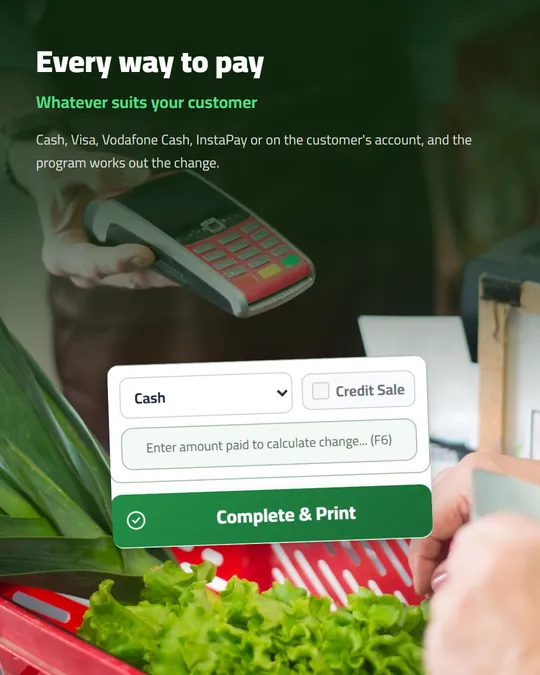
    4. Every way to pay: Whatever suits your customer. Cash, Visa, Vodafone Cash, InstaPay or on the customer's account, and the program works out the change.
    5. Closing the shift: What should be in the drawer, before you count it. Opening cash, sales by every payment method and receipts, then the actual amount, and any shortage or surplus shows at once.
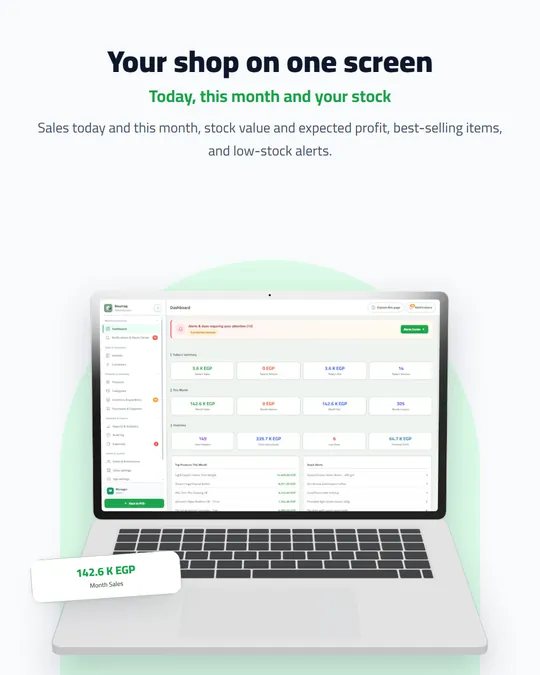
    6. Your shop on one screen: Today, this month and your stock. Sales today and this month, stock value and expected profit, best-selling items, and low-stock alerts.
    7. Your stock in front of you: An alert before an item runs out. The quantity and cost of every item, an alert for items running low, and adding or correcting a quantity right where it is.
    8. Purchases: The supplier's invoice updates stock and cost. Record the purchase invoice and the quantities go up, and follow what you've paid and what you owe each supplier in one account.
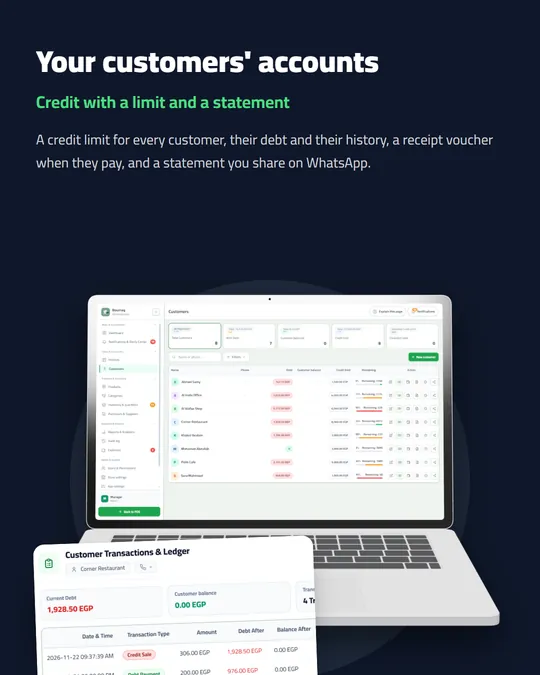
    9. Your customers' accounts: Credit with a limit and a statement. A credit limit for every customer, their debt and their history, a receipt voucher when they pay, and a statement you share on WhatsApp.
    10. Clear reports: Categories, items and cashiers. Sales split across categories, the items earning the most, each cashier's performance, and debts and credit.
    11. Selling never stops. Bourraq Cashier, Download it from the Bourraq website
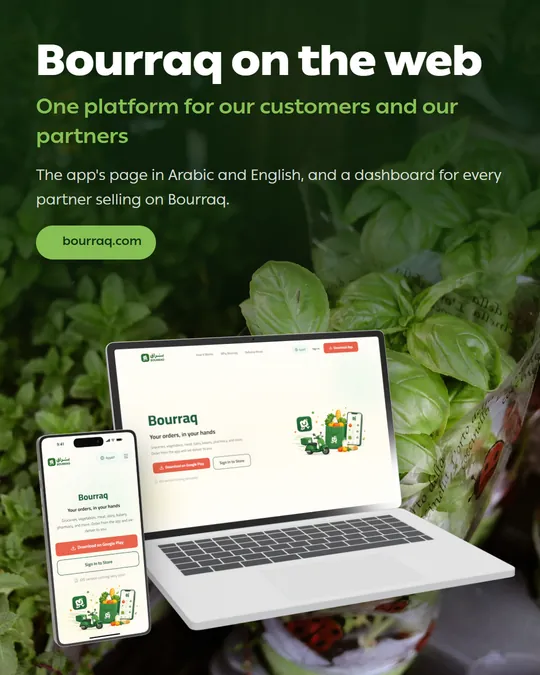
  4. Bourraq on the web: One platform for our customers and our partners. The app's page in Arabic and English, and a dashboard for every partner selling on Bourraq.

    Web platform

    Web platform2026

    Bourraq web platform

    1. Bourraq on the web: One platform for our customers and our partners. The app's page in Arabic and English, and a dashboard for every partner selling on Bourraq.
    2. The live site

      bourraq.com
      Loading the site
    3. Start in three steps: Get the app, choose your order, receive it at your door. A page that explains the service in a minute, and takes the visitor straight to the app.
    4. Why Bourraq?: Lower prices, faster delivery. The shops nearest to you and everything you need in one place, with the same design on computer and phone.
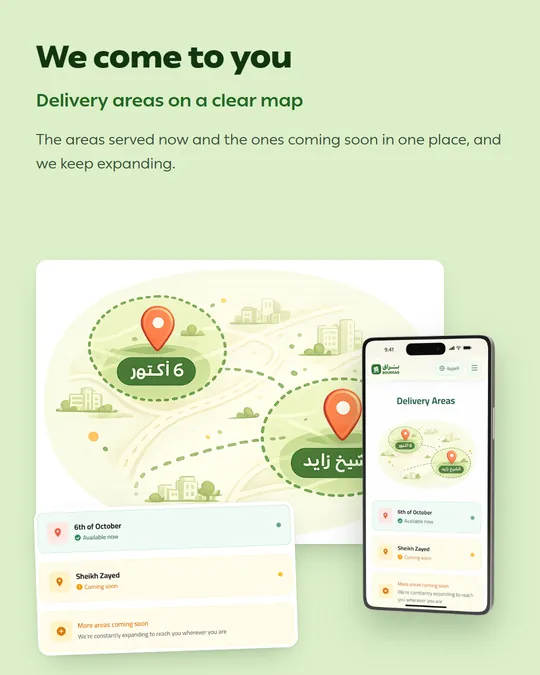
    5. We come to you: Delivery areas on a clear map. The areas served now and the ones coming soon in one place, and we keep expanding.
    6. Sell on Bourraq: Partner sign-up on one page. Your business, branch and account details, then you start selling once approved.
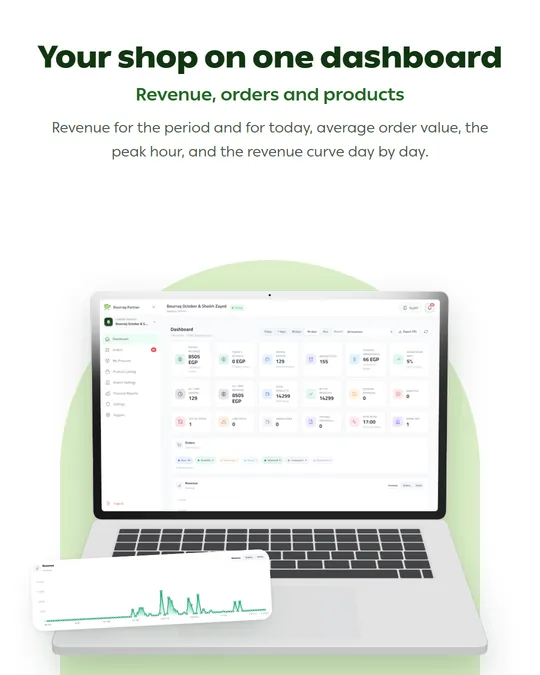
    7. Your shop on one dashboard: Revenue, orders and products. Revenue for the period and for today, average order value, the peak hour, and the revenue curve day by day.
    8. Orders, moment by moment: Confirm the order, or decline an item. Every order with its items, weights, total and delivery area, and its status updates live.
    9. Your products and prices: Price and stock for every item. Edit the price and the quantity in place, and suggest a new product that joins the catalogue once approved.
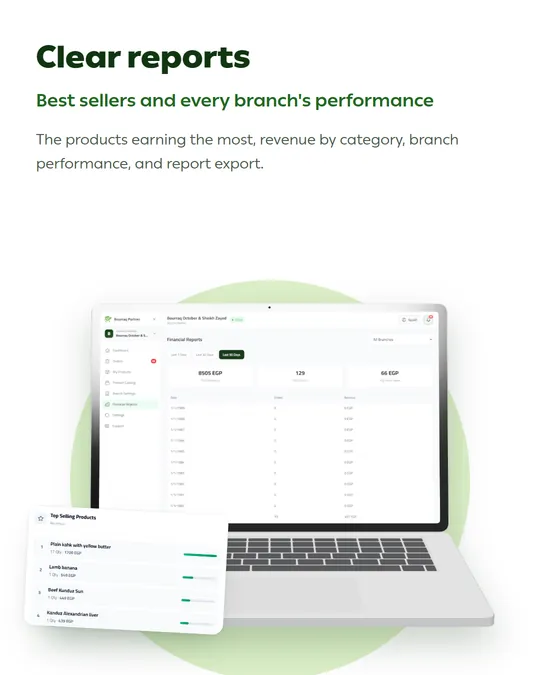
    10. Clear reports: Best sellers and every branch's performance. The products earning the most, revenue by category, branch performance, and report export.
    11. Your branches on the map: And a notification for everything new. Each branch's address and the areas it covers, and an instant notification for every new order, cancellation or product approval.
    12. Your orders, in your hands. bourraq.com
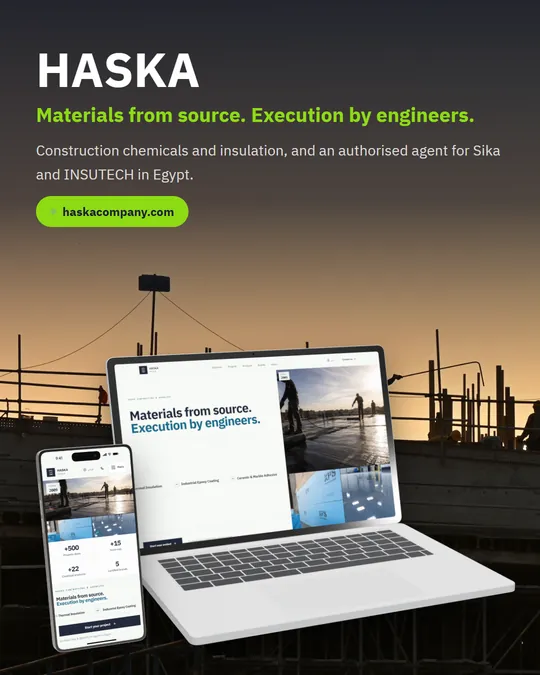
  5. HASKA: Materials from source. Execution by engineers. Construction chemicals and insulation, and an authorised agent for Sika and INSUTECH in Egypt.

    Web platform

    Web platform2026

    HASKA: contracting and insulation company site

    1. HASKA: Materials from source. Execution by engineers. Construction chemicals and insulation, and an authorised agent for Sika and INSUTECH in Egypt.
    2. The live site

      haskacompany.com
      Loading the site
    3. Start from the type of work: Every visitor reaches what concerns them. Waterproofing or thermal insulation, epoxy, or concrete repair: the visitor picks their work and sees the right solution and products.
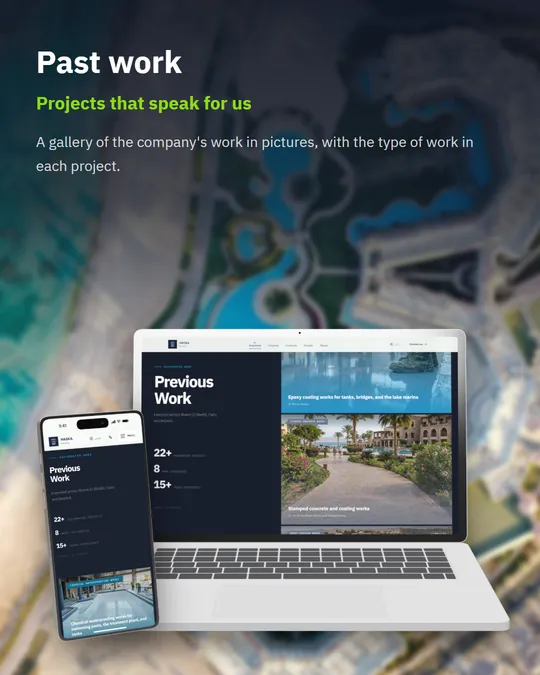
    4. Past work: Projects that speak for us. A gallery of the company's work in pictures, with the type of work in each project.
    5. Products by use: From waterproofing to concrete admixtures. Each category on one page: what it solves, the products used in it, and a quote request straight from it.
    6. Authorised brands: Materials from international brands. The brands the company works with in one place, with what each one offers.
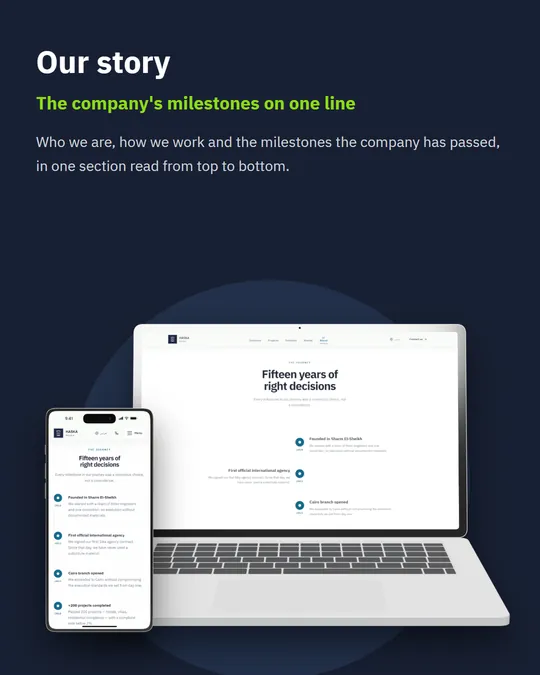
    7. Our story: The company's milestones on one line. Who we are, how we work and the milestones the company has passed, in one section read from top to bottom.
    8. Request a quote: Five short steps. The visitor chooses who they are and their type of work and completes their details, then a specialist engineer contacts them within 24 hours.
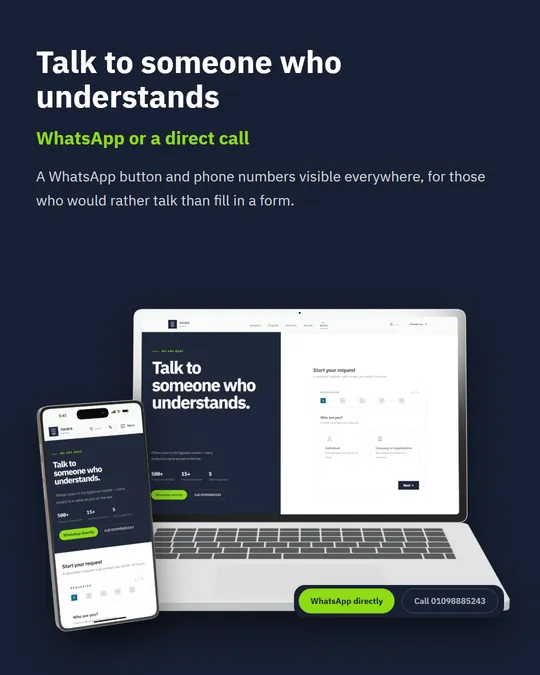
    9. Talk to someone who understands: WhatsApp or a direct call. A WhatsApp button and phone numbers visible everywhere, for those who would rather talk than fill in a form.
    10. In Arabic and English: The same site in two languages. An Arabic version from right to left and an English version with the same design, on computer and phone.
    11. Materials from source. Execution by engineers. haskacompany.com

How we work

How we work, and what you get at each stage

Pick a stage to see what we do in it and what you receive at the end.

Step 1 of 4

Discovery

We learn your business and your users, and agree on the first version worth building.

What you get

  • A written scope for the first version
  • An estimate of time and cost before work begins
  • A plan of the delivery stages

Step 2 of 4

Design

Interactive screens you can try and change before a line of code is written.

What you get

  • A complete design of the product’s screens
  • An interactive prototype to try on your own device
  • Rounds of changes until you approve the design

Step 3 of 4

Build

We deliver in rounds, and you can try every round yourself.

What you get

  • A test version with every round
  • Publishing to the app stores or servers
  • The product’s source code

Step 4 of 4

Improvement

After launch we follow how it is used and improve it, then the loop begins again.

What you get

  • Monitoring of errors and performance
  • Proposals for the next loop, based on real use

Before you start

Questions we get asked

How long does a project take?

It depends on the size of the first version. We set the length of each stage in writing at the end of discovery, and deliver in short rounds so you see progress as it happens.

How do you price a project?

We price it after discovery, from the scope of the first version, and send you a written estimate before any work starts.

Who owns the source code?

The product’s source code is yours, and we hand it over with your product’s publishing accounts.

What happens after launch?

We monitor errors and performance, act on feedback, and develop the product in new loops.

Can you take over an existing product?

Yes. We can start from an idea, a finished design, or a product that’s already live.

Do you work with clients outside Egypt?

Yes. We work remotely in Arabic and English, and follow the project through regular meetings and test versions.

No answer here? Message us on WhatsApp

Contact

Tell us about your project

Answer four short questions and we’ll reply by email or WhatsApp.

Step 1 of 4

What would you like to build?
Where is your idea today?
Tell us about the project.

What the product is, who it is for, and what it must achieve.

How should we contact you?